
Heavy Recovery Hazmat Cleanup Log Automation: Killing the $7,500 Denied Insurance Line Leak

Automation Edge Intel
Trade Automation Experts
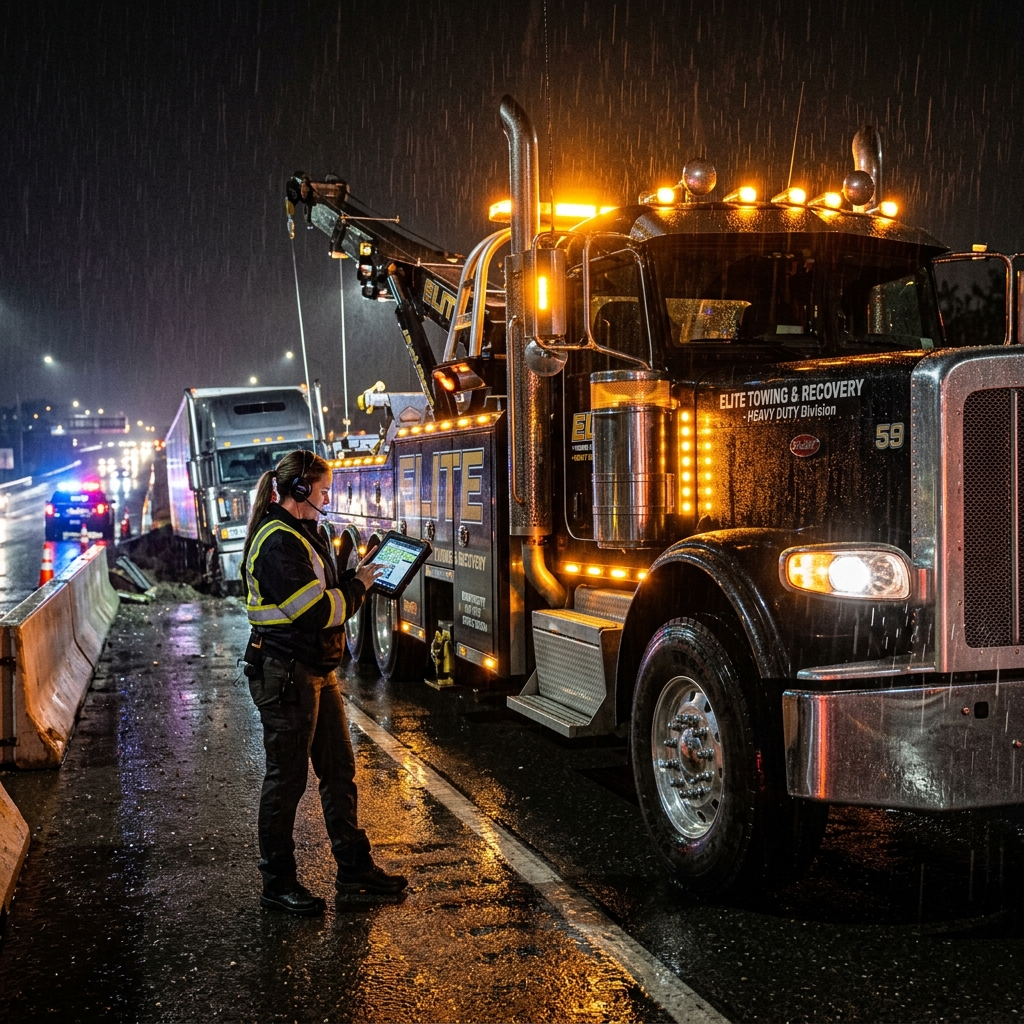
The wreck is uprighted. The roadway is cleared of debris. The heavy wrecker and the Landoll are heading back to the yard. You think the hard work is done.

Automate Your Operations with Make.
Connect your apps, design custom visual workflows, and save 10+ hours a week.
It is not.
When a commercial rig dumps 100 gallons of diesel and motor oil across a highway, your crew spends hours laying down containment booms, spreading dozens of bags of clay absorbent, and drumming contaminated soil.
You bill the fleet carrier’s insurance provider $7,500 for hazmat cleanup and materials.
Three weeks later, the explanation of benefits arrives. The adjuster slashed the remediation line item by 80%. Their excuse is always the same: "unsubstantiated cleanup charges." They claim they have no proof you used 30 bags of absorbent instead of five. They challenge the hours billed for manual road sweeping.
Because your heavy recovery operator was focused on clearing the scene under police pressure, they did not compile geotagged before-and-after photos, empty-bag counts, or drum disposal manifests.
This is the truck trap. You are sacrificing sleep and running high-risk operations, only to hand back your net margin to a billion-dollar insurance carrier due to poor field documentation.
The Real-World Leak: The Unverified Hazmat Clean Up
In heavy duty recovery, paperwork pays as much as horsepower. Insurance adjusters exploit the chaos of an accident scene. If your crew cannot show time-stamped proof of every single bag of oil-dry, every spill containment boom, and every disposal drum used, that money is gone.
Towing operators try to solve this by telling drivers to take photos on their personal phones.
This system fails immediately. Photos get lost in text threads. Time-stamps are missing. The office staff has to hunt down the crew to figure out which photo belongs to which recovery file. Meanwhile, the invoice goes out late, and when the adjuster pushes back, your team has zero evidence to defend the bill.
Unlike our previous guides on Septic System Defect Capture Automation or Arborist Pre-Lift Weight Log Automation, which prevent field liability and unlock upsell revenue, this protocol protects the hard-earned money you already spent on heavy-haul cleanup materials.
To select the right tools for your business, consult our Software Guide.
The Field-Tested Fix: Automated Hazmat Spill Log Generation
To plug this profit leak, you must turn field documentation into a structured, automated assembly line. By integrating GoHighLevel with Make, you can build a system that forces on-scene data capture and instantly generates a legally binding, unassailable Hazmat Spill Log.
We use Make to coordinate this entire workflow. It acts as our operational glue, translating chaotic field activities into structured documents without writing code. You can easily build, test, and scale this workflow yourself using its drag-and-drop builder.
Here is the exact visual roadmap of the automated scenario:
This blueprint functions via five simple stages:
- Smart Proximity Webhook / Dispatch Trigger: The instant a heavy recovery operator marks a job as "In Progress" or "On-Scene" inside GoHighLevel, a webhook triggers the Make scenario, prompting them with a custom field form on their mobile device.
- Condition Filtering Gate: The system filters the job details. If the service type does not involve hazmat, fluid remediation, or heavy recovery, the workflow terminates immediately to avoid clutter.
- Automated Manifest and Invoice Generator: This module takes the uploaded, geotagged before-and-after photos, the precise count of absorbent bags, and disposal drum numbers, compiling them into a professional, time-stamped PDF Hazmat Spill Log.
- GoHighLevel CRM Sync Action: The PDF log is instantly uploaded back into the GoHighLevel job record, locking down the documentation so the billing desk has immediate access.
- Adjuster Email Portal: The scenario drafts an automated email containing the invoice and the PDF Hazmat Spill Log, ready to be sent directly to the insurance claims representative.
Implementation Path
Two Ways to Deploy This
You do not need to understand webhooks or API modules to fix this leak. Pick the path that matches how you operate.
Path 1 — Build It Yourself
Sign up for Make, follow the blueprint above, and connect your field software. No code required — just drag, drop, and connect the modules shown in the diagram.
Start with Make.com →Path 2 — Hire a Pro (Recommended for Non-Technical Operators)
Don't want to touch the tech? Hire a vetted Make.com automation specialist to build this exact workflow for you. Hand them this article as the build spec — they will know exactly what to wire up.
Hire a Make.com Expert on Fiverr →Running a larger operation with multi-system integrations? Browse Make.com specialists on Upwork for bigger builds.
Step-by-Step Implementation Guide
Setting this up requires less than an hour and secures thousands in recovery billing.
Step 1: Create Your Custom Fields in GoHighLevel
Open your GoHighLevel account and navigate to custom fields for Jobs. Add the following fields:
- Hazmat Absorbent Count (Number)
- Containment Booms Used (Number)
- Disposal Drums Filled (Number)
- Before Remediation Photo (File upload)
- After Remediation Photo (File upload)
Step 2: Configure the Make Webhook
Log into Make. Drag in a Webhook module. Set this to trigger when a Job is updated in GoHighLevel. This webhook will capture the custom fields and photos submitted by your recovery operator directly from the cab.
Step 3: Set Up the Filtering Gate
Add a filter module. Set the condition to only pass through if "Hazmat Absorbent Count" is greater than zero. This keeps your light-duty towing and standard lockouts clean of unnecessary documentation.
Step 4: Build the PDF Spill Log template
Use a document generation tool like Google Docs or PDF.co inside Make. Map the variables from GoHighLevel into your template:
- Job Number
- Date and Time-stamp
- Operator Name
- Exact counts of materials used
- Embedded before and after photos
Step 5: Automate the Upload and Draft Email
Add a GoHighLevel action module to upload the generated PDF file directly to the corresponding job note. Finally, add an email module (Gmail or Outlook) to draft a pre-formatted message to the insurance claims adjuster. The email should state that the attached document provides complete, geotagged, visual verification of all cleanup charges.
Exit the Truck and Lead Your Fleet
As long as you are the only one defending your bills, you are trapped.
Automating your field documentation shifts the power balance back to your company. Adjusters count on your disorganization to save their carriers money. When you deliver an unassailable, automated PDF log with every recovery bill, they pay in full—without a fight.
Stop fighting with adjusters on the phone. Build the system, secure your margin, and exit the truck.
Verified Automation Stack




Built for 8-Figure Scale
Used by elite operators with GoHighLevel, Make, and ServiceTitan to automate dispatch, voice triage, and invoice routing.
Intelligence Audit: The GoHighLevel + ServiceTitan Edge
For contractors looking to move from a lifestyle business to a scalable empire, GoHighLevel handles CRM, SMS, and booking pipelines while ServiceTitan powers enterprise dispatch at scale. Together they optimize your profit margins.
- Smart Dispatch: Uses historical technician conversion rates to put your best sellers on the highest-value leads.
- Marketing Pro: Automatically tracks every dollar of ad spend to a closed invoice, giving you real-time ROI.
- Pricebook Pro: Standardizes your pricing across the fleet to ensure you never underquote a job again.
ANALYTICS SNAPSHOT:
- Average Revenue Growth: +25%
- Office Admin Efficiency: +40%
- First-Time Fix Rate: +12%
Contractor Fleet Fuel Savings ROI
At the current US average of $3.99/gal, a 10-truck contractor fleet (work trucks) spends approximately $49,838/year on fuel. AI-driven route density reduces that by 15%, saving your operation $7,476+ per year—every year, automatically.
Related Intelligence
Read NextEmergency Pack-Out Inventory Automation: Killing the $9,500 Missing Item Claim Leak
Lateral Launch CCTV Video Log Automation: Killing the $12,500 Retainage Release Lockout
Police Rotation SLA Log Automation: Killing the $14,000 Suspension Leak
Stay ahead of the curve.
Join 15,000+ independent contractors getting the daily edge on automation.